Computer names
Collects ComputerName, HostName, and LocalHostName where available.
Local macOS System Inventory
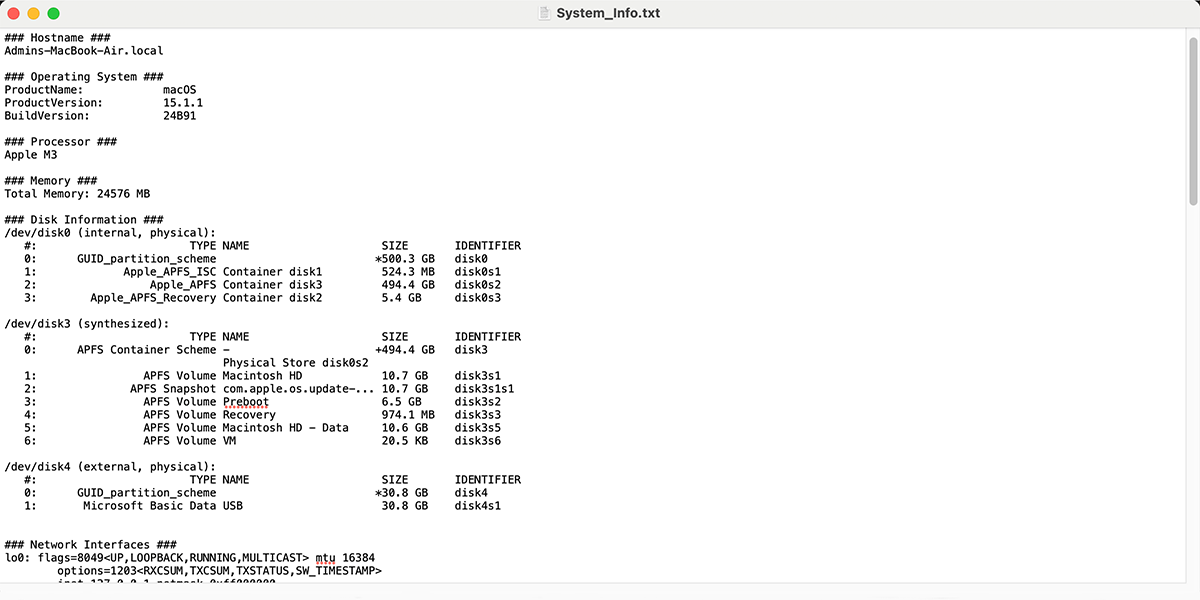
System Info is a local-only macOS information collector that records operating-system, hardware, display, storage, network, power, security-state, update-history, and process information into a Desktop text report.
Installation
Copy and paste this command into Terminal to install the Melding Software Mac scripts.
After reopening Terminal, type MeldingSoftware anytime to load the list.
curl -fsSL https://raw.githubusercontent.com/MeldingSoftware/Scripts/main/Mac/install.sh | bash
Because this command downloads and immediately runs a shell installer, you can review install.sh in the GitHub repository before executing it. Individual scripts may also request permissions, administrator access, Keychain authorization, Full Disk Access, or other macOS approvals depending on what the selected tool needs.
Documentation
Collects ComputerName, HostName, and LocalHostName where available.
Records sw_vers, kernel/architecture, uptime, and boot time.
Uses system_profiler hardware data plus sysctl CPU and memory information.
Collects display/GPU details from SPDisplaysDataType.
Documentation
Collects system_profiler storage data, diskutil list, and APFS volume information.
Lists hardware network ports.
Determines the default network interface and attempts to display its IP address.
Captures scutil --dns and netstat -rn.
Uses Apple's airport utility when that binary exists.
Documentation
Captures pmset battery status, AppleSmartBattery information, and SPPowerDataType output.
Records spctl --status.
Records fdesetup status.
Records csrutil status.
Reads the Application Firewall preference when the expected plist exists.
Documentation
Includes up to the first 100 lines of softwareupdate --history.
Captures a lightweight top-15 snapshot sorted by CPU use.
Writes to ~/Desktop/System Info Results/System Info.txt, falling back to the user's home directory if Desktop is unavailable.
The script contains no curl, web API, or upload path.
Screenshot
FAQ
No. This version is explicitly local-only.
Yes, using pmset, ioreg, and system_profiler where available.
It records quick status checks for Gatekeeper, FileVault, SIP, and the Application Firewall.
Normally in Desktop/System Info Results/System Info.txt.